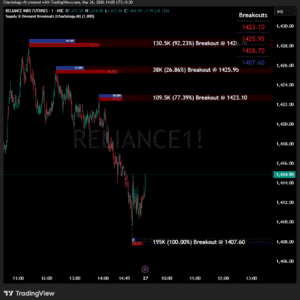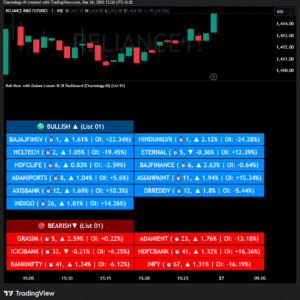
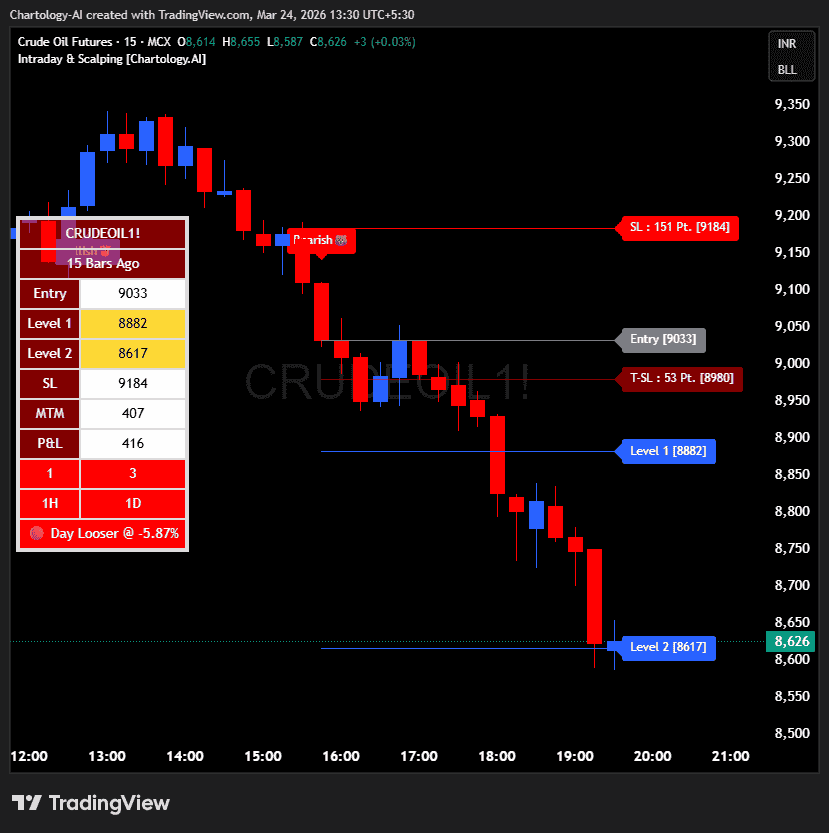
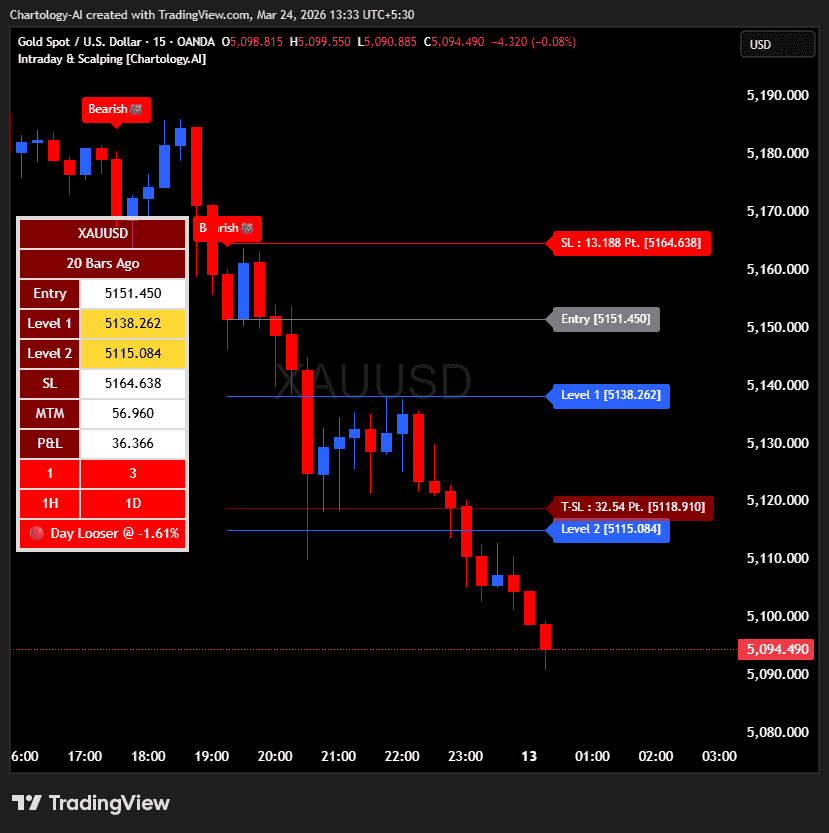
This tool provides a comprehensive way for users to analyze trend levels and access other Matrix features across selected tickers and timeframes. Results can be tailored by strategy, with the option to filter displayed tickers based on custom user‑defined rules.
-
-
-
-
-
-
-
- Bullish & Bearish Entry Signal
- Entry Level, SL, T-SL & Two TP Levels (Based on Possible Movement).
- Dashboard Table for Easy Presentation of All Levels.
- Timeframe Scanner for Current Signal (Trend) on Different Timeframes.
- Gap Up & Gap Down Filter for Trade Confirmation.
- Day Gainer / Loser Momentum Filter for Trend Alignment.
- Candle Color Confirmation for Current & Previous Bars.
-
-
-
-
-
-
🟢 Bullish & Bearish Entry Signals
Shows the expected direction of the symbol based on an aggressive mechanism. It shows Bullish and Bearish direction marks on the Chart. Entry Level is the Closing of the Signal Candle.
Input Settings
-
-
-
-
-
-
-
- Re Entry Bar: A built-in cooldown timer that dictates how many bars must pass before a new signal can trigger, preventing chop.
- Chart Type (Standard vs. Signal Candlestick): Choose to keep standard candle colors or paint the candles strictly based on the active trend to easily visualize momentum.
-
-
-
-
-
-
🎯 Entry Level, SL, T-SL & TP Levels
Generated based on price movement, risk inputs, and trend range.
Levels on Chart
-
-
-
-
-
-
-
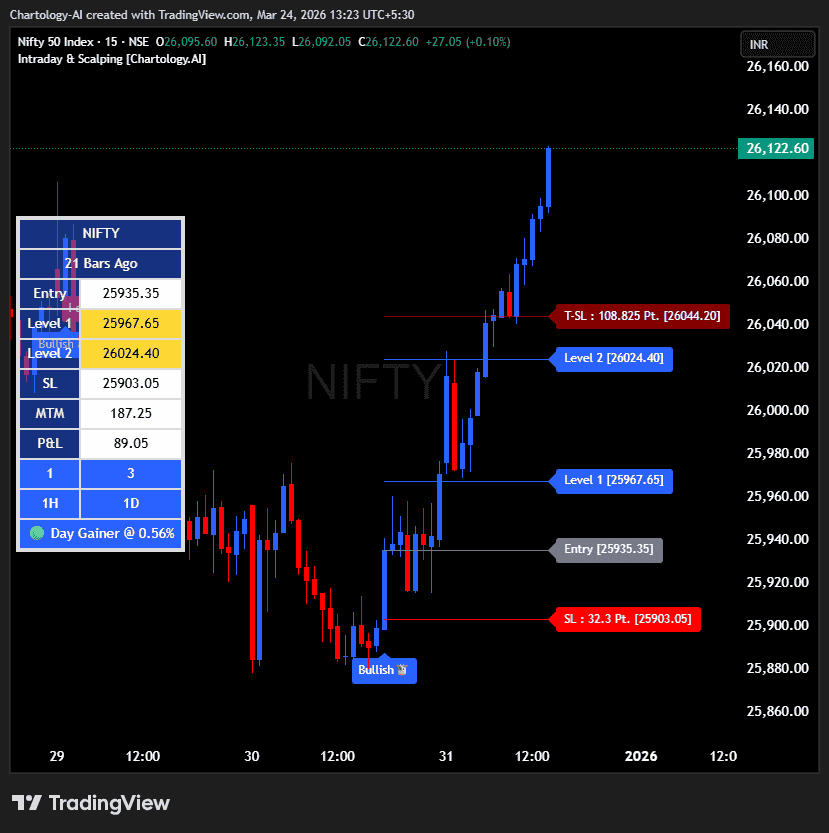
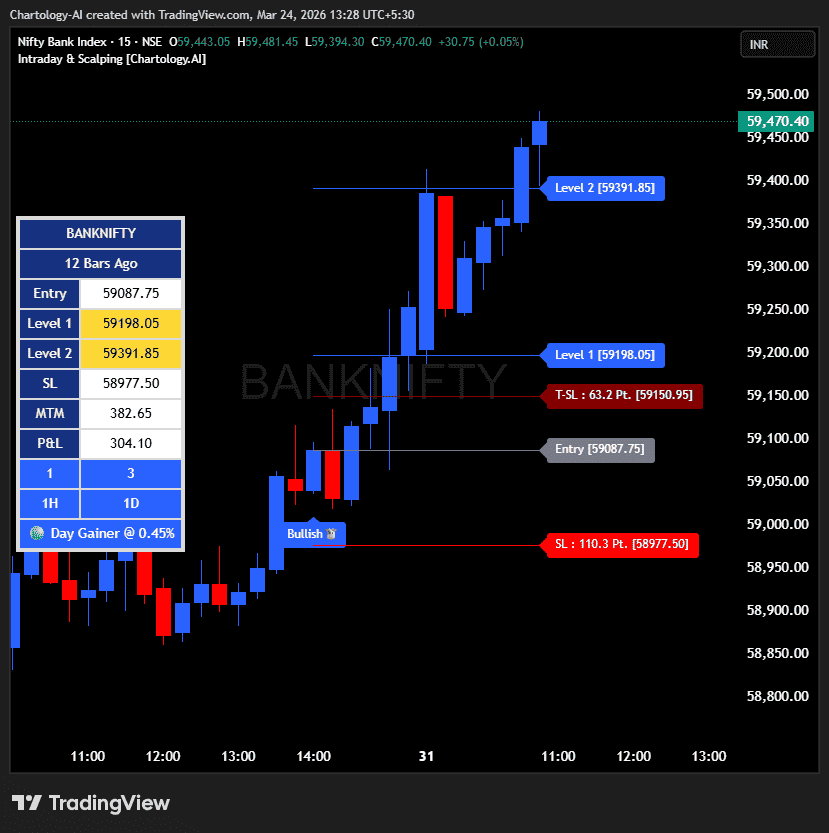
- Entry Level: Closing price of the candle where the signal appears.
- SL (Stop Loss): Maximum risk allowed for the trade, calculated via ATR-style mechanics.
- TSL (Trailing SL): Dynamic SL to reduce risk and lock profits once the trade moves in your favor.
- Level 1 (TP1): First target level with a baseline risk-reward ratio. Used for partial booking.
- Level 2 (TP2): Final extended target level for a full exit.
- Input Settings
- Levels: You can Increase or Decrease the multiplier to extend or tighten Level 2.
- Risk: You can Increase or Decrease the Stop Loss (SL) distance.
-
-
-
-
-
-
📊 Dashboard Table for Easy Presentation of All Levels.
Displays all key levels and metrics in one place:
Metrics
-
-
-
-
-
-
-
- Symbol Name: Shows the name of the current chart (e.g., NIFTY, BANKNIFTY).
- Bar Age: Displays how many candles (Bars) have passed since the latest signal appeared.
- Entry: Shows the entry level where the latest bullish or bearish signal was generated.
- Level 1 (TP1): First target level. Used for partial booking to secure profits.
- Level 2 (TP2): Final target level where you can exit the remaining position.
- SL (Stop Loss): Shows the maximum risk limit for the trade. Helps you control losses.
- MTM (Mark to Market): Shows the difference between CMP and Entry Level. Helps track how far price has moved since entry.
- P&L (Profit & Loss): Shows the difference between Entry and Target Level achieved. Helps measure actual gain or loss.
-
-
-
-
-
-
🚦Timeframe Scanner for Current Signal (Trend) on Different Timeframes.
Shows the current signal across multiple timeframes.
-
-
-
-
-
-
-
- Row 1: Signals for default 1M and 3M (Customizable).
- Row 2: Signals for default 1H and 1D (Customizable).
-
-
-
-
-
-
Traders use this to confirm signals across different timeframes before entering trades.
Example: If the Daily trend is bullish but the 1m/3m chart shows bearish, many traders avoid that trade until they align.
🚦 Gap Up & Gap Down Filter
Prevents you from buying into massive exhaustion gaps that might immediately reverse.
Input Settings
-
-
-
-
-
-
-
- Enable / Disable: Toggle from the Other Analysis Indicators menu.
- Gap Multiplier: Set the minimum threshold to dictate what qualifies as a tradable vs. non-tradable gap.
-
-
-
-
-
-
📈 Day Gainer / Loser Filter
Filters signals based on the overall momentum of the asset for that session.
Input Settings
-
-
-
-
-
-
-
- Enable / Disable: Toggle from the Other Analysis Indicators menu.
- Source Price: Choose to calculate momentum relative to “Today’s Open” or “Yesterday’s Close”.
-
-
-
-
-
-
🕯️ Candle Color Confirmation Filter
Ensures that price action supports the signal.
Input Settings
-
-
-
-
-
-
-
- Current Candle: Requires the trigger candle to close in the direction of the trade (e.g., green for long).
- Previous Candle: Requires the candle preceding the signal to match the direction of the trade.
-
-
-
-
-
-