🌟 Core Features
-
-
-
-
-
-
-
-
-
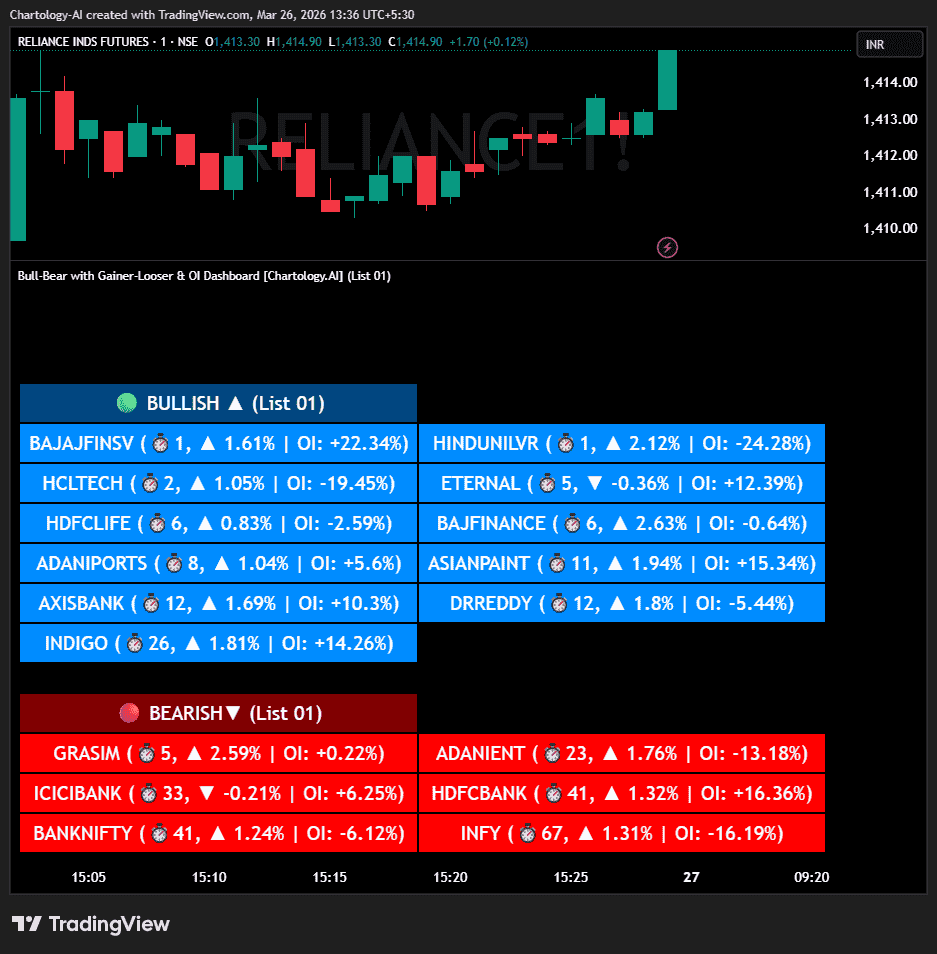
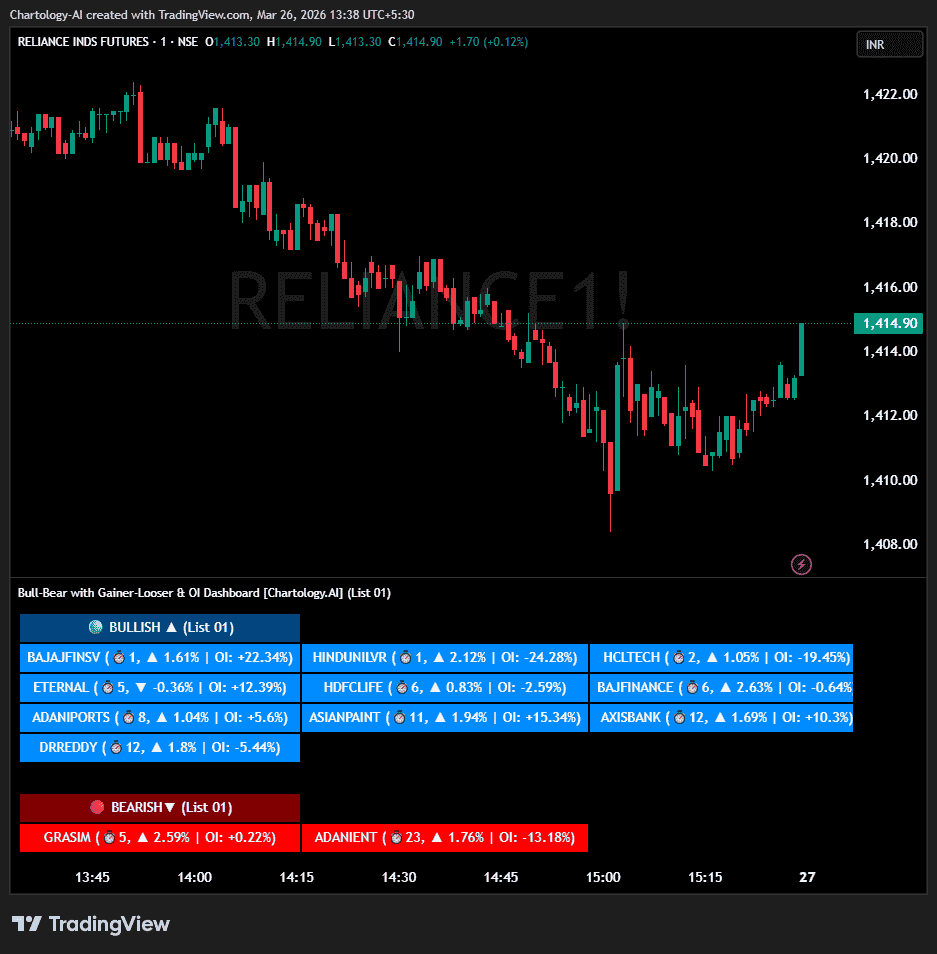
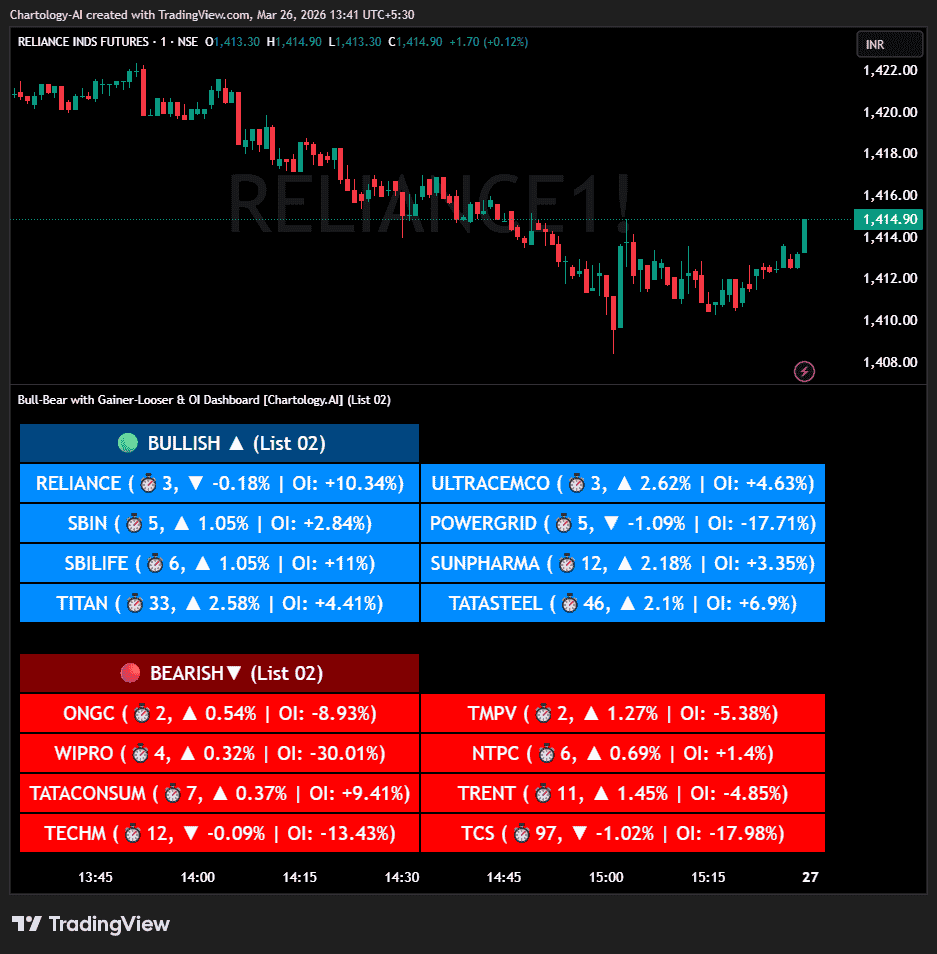
Advanced Trend Detection: The script runs an algorithm silently in the background across up to 40 different assets at once. It categorizes each asset strictly into a 🟢 Bullish or 🔴 Bearish state based on the current timeframe.
-
Signal Recency Tracker (⏱️): It doesn’t just tell you the trend; it tells you when it happened. The dashboard displays the exact number of bars that have passed since the signal flipped.
-
Auto-Sorting Algorithm: Using a custom Bubble Sort sequence, the dashboard automatically pushes the freshest signals to the front. A signal that fired 1 bar ago will always appear before a signal that fired 9 bars ago, ensuring you never miss a new breakout.
-
True Daily Price ROC (%): Calculates the precise percentage change of the current price compared to the previous day’s closing price, giving you a highly accurate view of intraday momentum (▲ or ▼).
-
Automated Open Interest (OI) Fetching: The script dynamically hunts for the
_OIcounterpart of your selected futures tickers. It calculates the intraday Open Interest % change from the previous day’s close.
-
-
-
-
-
-
-
-
⚙️ Dashboard & Input Settings
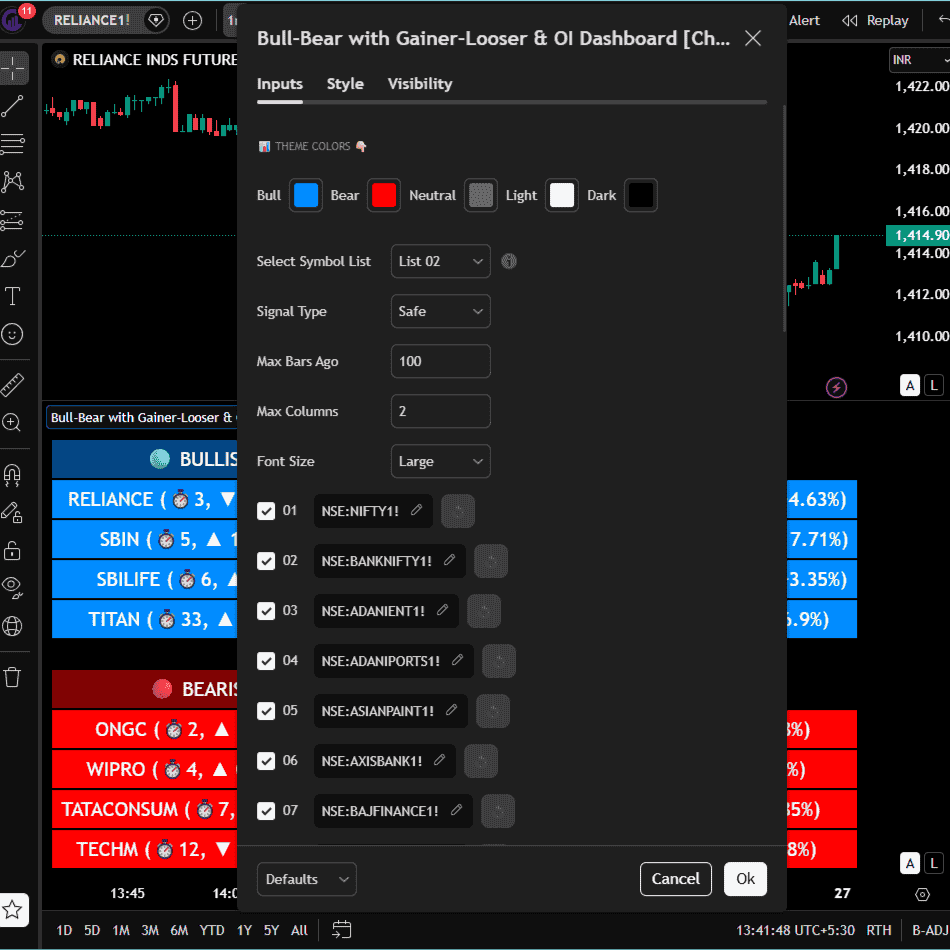
When you open the indicator’s Settings (the gear icon), here is what you can configure:
1. Select Symbol List (Dropdown)
-
-
-
-
-
-
-
-
-
-
-
What it does: Toggles the dashboard’s focus.
-
Options: Choose “List 01” to monitor symbols 1 through 20 (e.g., Core Indices, Adani, Banks) or “List 02” to monitor symbols 21 through 40 (e.g., Metals, IT, Pharma).
-
-
-
-
-
-
-
-
-
-
2. Theme Colors
-
-
-
-
-
-
-
-
-
-
-
What it does: Allows you to completely customize the aesthetic of the dashboard to match your chart.
-
Options: You can independently change the colors for Bull cells, Bear cells, Neutral backgrounds, Light text, and Dark borders.
-
-
-
-
-
-
-
-
-
-
3. Ticker Customization (01 to 40)
-
-
-
-
-
-
-
-
-
-
-
What it does: The ultimate control center for your watchlists.
-
Options: * Checkbox: Quickly turn a specific stock ON or OFF without deleting the ticker name.
-
Symbol Input: Click the ticker name (e.g.,
NSE:NIFTY1!) to swap it out for any other asset you prefer using TradingView’s built-in search.
-
-
-
-
-
-
-
-
-
-